Photographer Client + Portfolio Toolkit
The Photographer Client + Portfolio System is a practical toolkit for portrait photographers, wedding photographers, family photographers, and small studios who need a calmer way to manage inquiries, bookings, shoot preparation, gallery delivery, follow-up, contracts, invoices, and payments.
$79 one-time purchase
Buy the Photographer System →Also included with The Vault membership. Already a member? Sign in to access your library. This is the business-operations toolkit — not Packd's separate photo-editing subscription. If you need image editing, explore the separate Photo Editing service → Toolkit purchase and editing are separate purchases.
Best for
Photographers managing inquiries, shoots, galleries, contracts, and payments. Keep the client journey visible from inquiry and shoot preparation through gallery delivery and payment follow-up, with editable client-facing source files.
What you receive
client-inquiry-booking-tracker.csv is previewed below; the complete buyer delivery remains the existing contents/download area on this page. The page's real previews and download cards are the source of truth; this panel does not add files or change delivery.
First use & compatibility
Import the four CSVs, keep each workflow distinct, add one real inquiry, upload the three SVGs to Canva, and run the prompts only on confirmed session facts.
The CSVs work with Notion's free plan and the SVG source files with Canva's free plan. You bring your own client, contract, gallery, and payment tools.
Choose your path
The Vault is separate at $12/mo and its page describes full library access, monthly drops, and community. A separate PLR/MRR license is available for this product; read its terms before choosing the reseller tier. Need the editing work handled too? Explore Professional Photo Editing.
Commercial-use boundary: Packd's terms allow finished work made with these resources in your business or client work; they do not transfer Packd's underlying files or allow you to redistribute them. Read the Terms.
Buy Photographer Client + Portfolio System · $79 →How it works in your first five minutes
A real look at Photographer Client + Portfolio System: the preview below is sourced from the files delivered with this product, and the setup path starts with your own Notion, Canva, or AI account.
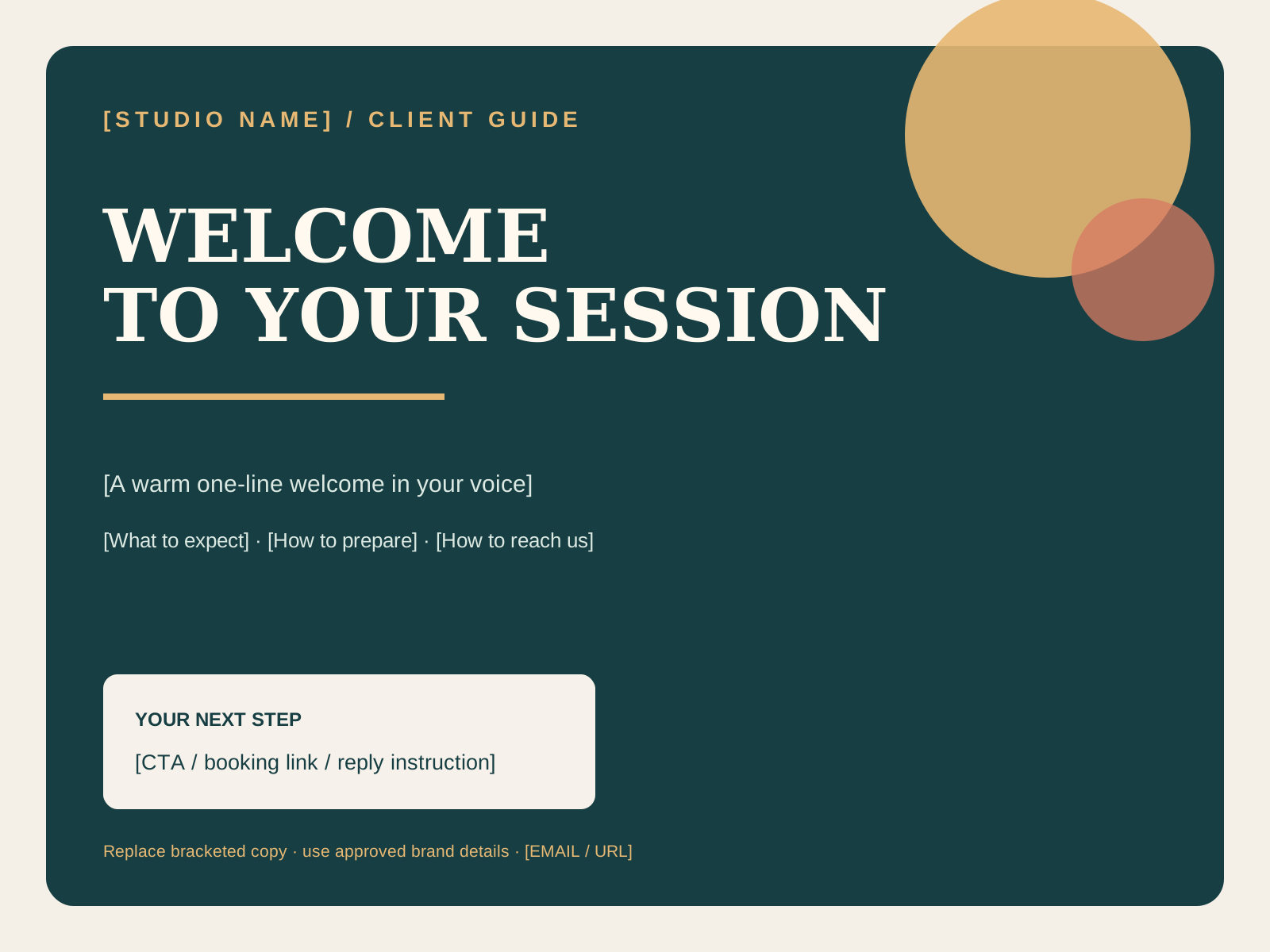
Preview of the actual downloadable source file. It is editable; it is not a hosted workspace.

- 1
Import the four CSVs into Notion and keep the client, shoot preparation, gallery follow-up, and payment steps distinct.
- 2
Add one real inquiry using the fields in the header and set a clear next action.
- 3
Upload client-welcome-guide.svg to Canva and replace the bracketed practice, preparation, and contact details.
- 4
Run the photographer prompts on confirmed session facts, then review the client-facing draft before sending.
Instructional sample, not a booked session: Client / code = [EXAMPLE CODE] · Session type = [PORTRAIT] · Status = Inquiry · Next action = Send availability.
This is a teaching example built from the file structure. It is not a customer result, testimonial, or populated buyer workspace.Know this is the right workflow? Start with the real files and use them in your own tools.
Get Photographer Client + Portfolio System · $79 →Or compare The Vault →Everything around the shoot
Inquiry + booking pipeline
Track inquiry source, session type, preferred date, package, lead status, next action, and follow-up due date without losing the thread.
Shoot preparation checklist
Keep questionnaire, contract, deposit, shot list, timeline, equipment notes, weather plan, and final reminder visible before shoot day.
Gallery delivery + follow-up
Track the real gallery link, delivery date, expiry, download/favorites instructions, review request, and print or album follow-up.
Contracts, invoices + payments
See contract status, invoice number, totals, deposit and balance dates, payment status, usage notes, and the next administrative action — never card data.
Three editable client-facing sources
Customize a welcome guide, photography pricing guide, and simple portfolio presentation in Canva from editable SVG source files with clearly labeled fields.
Photographer AI prompt document
Use structured prompts for inquiry replies, shoot descriptions, pricing explanations, gallery emails, follow-ups, and portfolio captions with quality checks and privacy guidance.
Download the actual files
The CSVs are intentionally blank where real client records would go. They are the structure, not fake activity. Start with the README, then use the setup guide.


Your first week
- Import all four CSVs and create views for new inquiries, upcoming shoots, galleries to deliver, and outstanding balances.
- Customize the welcome guide and pricing guide with your real packages, prices, policies, and contact details.
- Build one reusable booking template that moves from inquiry to contract, deposit, shoot, gallery, and follow-up.
- Replace the portfolio layout's image blocks with your own licensed work and verify every public credit.
- Run one inquiry, gallery, and caption prompt using de-identified inputs; review every draft before sending or posting.
Responsible, not overpromised
This is a workflow toolkit, not a legal contract, accounting system, gallery host, payment processor, or guarantee of bookings, revenue, reviews, or business results. Use your own source-of-truth tools and professional advice for contracts, taxes, privacy, licensing, and payment compliance.
PLR/MRR License — rebrand & resell
Need to sell your own version? This separate license includes the editable source package for Photographer Client + Portfolio System. Rebrand it first, then sell it under your own name.
$316.00 one-time license
Read the plain-language PLR/MRR license terms and Copyright & DMCA policy before checkout.
Buy the PLR/MRR license →Editable source files are delivered by email after payment. This tier is not the ordinary buyer download. See refund eligibility.
New: embedded copy-paste AI prompt sequences
Photographer workflows now includes ready-to-use fields, exact prompts, and practical follow-ups inside this toolkit page. Fill in the brackets and paste the prompt into your own ChatGPT or Claude account. These are static drafts: Packd does not run them automatically or connect to an AI service. Review every output against your real facts before using it.
PHOTOGRAPHER CLIENT + PORTFOLIO SYSTEM — FOLLOW-UP SEQUENCES
1. INQUIRY → BOOKING PLAN
Fields: [INQUIRY], [SESSION], [DATES], [PACKAGE], [PRICE], [BOOKING CONDITION], [NEXT ACTION].
Prompt: “From this inquiry [INQUIRY], create a booking plan using only [SESSION], [DATES], [PACKAGE], [PRICE], [BOOKING CONDITION], and [NEXT ACTION]. Return a reply email plus rows for inquiry status, next action, follow-up date, contract status, and payment status. Do not infer availability or interest.”
Follow-up: “Audit the email and tracker rows against [SOURCE FACTS] for mismatched dates, price, deliverables, or an implied date hold.”
🔒 2 more workflow prompts are included with purchase.
Unlock the full set with Photographer Client + Portfolio System or a Vault membership.
Already bought? Open the access link in your receipt email. Vault member? Sign in.
Read Packd's disclaimer · What these resources can—and cannot—do