Build the channel without being on camera.
The Faceless Content Creator Stack gives you the planning, scripting, research, visual, and publishing structures for voiceover videos, stock or AI footage, text-led edits, and faceless short-form content — without pretending there is a magic growth formula.
$79 one-time purchase
Buy the Stack →Also included with The Vault membership. Already a member? Sign in to access your library. The one-time checkout is $79; The Vault is a separate membership with its own terms.
Best for
Faceless creators planning ideas, scripts, research, and cross-platform publishing. Move an idea from research to script, production notes, and a publishing calendar without pretending Packd supplies footage, voices, music, or accounts.
What you receive
content-idea-bank.csv is previewed below; the complete buyer delivery remains the existing contents/download area on this page. The page's real previews and download cards are the source of truth; this panel does not add files or change delivery.
First use & compatibility
Import the four CSVs into Notion, connect an idea to its script and calendar entries, upload the four SVG layouts to Canva, then test one sourced concept.
Notion's free plan is enough for the CSV structure and Canva's free plan can import the SVGs. You provide video, voice, music, publishing accounts, and rights checks.
Choose your path
The Vault is separate at $12/mo and its page describes full library access, monthly drops, and community. A separate PLR/MRR license is available for this product; read its terms before choosing the reseller tier.
Commercial-use boundary: Packd's terms allow finished work made with these resources in your business or client work; they do not transfer Packd's underlying files or allow you to redistribute them. Read the Terms.
Buy Faceless Content Creator Stack · $79 →How it works in your first five minutes
A real look at Faceless Content Creator Stack: the preview below is sourced from the files delivered with this product, and the setup path starts with your own Notion, Canva, or AI account.
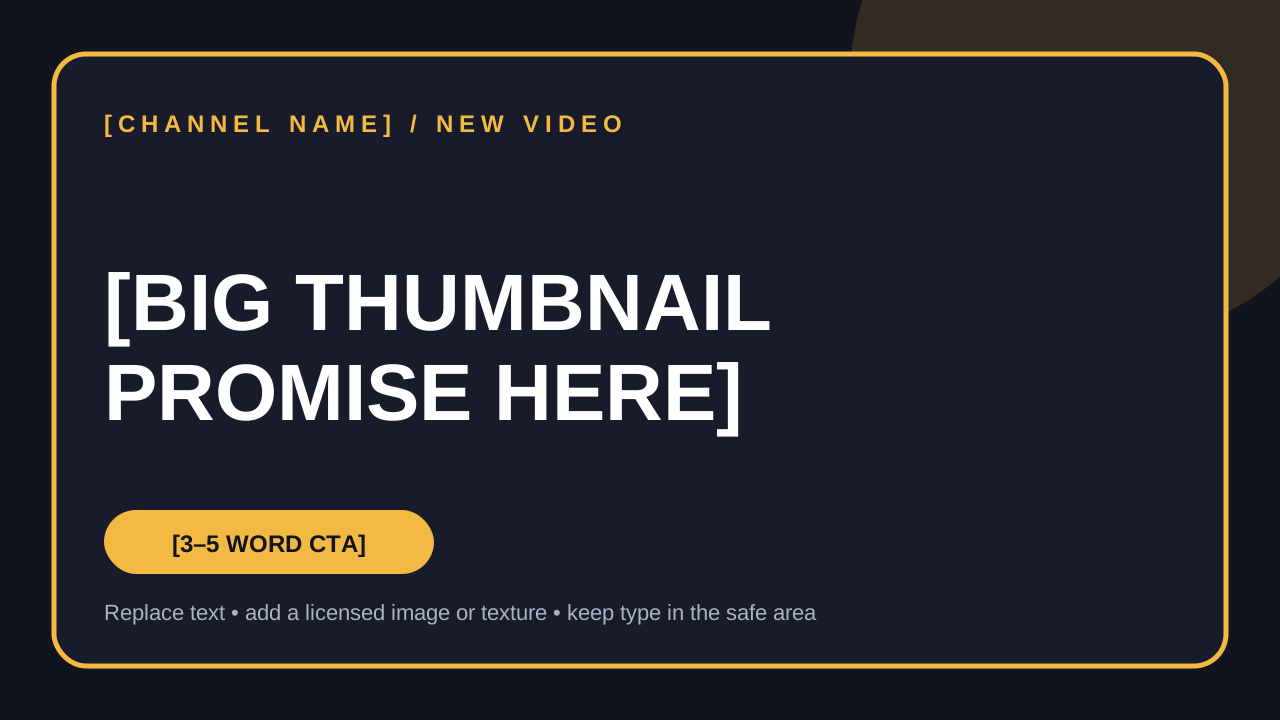
Preview of the actual downloadable source file. It is editable; it is not a hosted workspace.

- 1
Import the four CSVs into Notion and create an idea bank, script tracker, posting calendar, and niche research view.
- 2
Choose one audience, channel promise, and three to five pillars; add your first real idea.
- 3
Upload the thumbnail SVG to Canva and replace [CHANNEL NAME] and [BIG THUMBNAIL PROMISE HERE].
- 4
Draft one script, record sources and rights checks, then plan the footage and publish path in the tracker.
Instructional sample, not audience activity: Idea title = [EXAMPLE TOPIC] · Format = Short · Status = Research · Source or proof needed = [LINK TO VERIFY].
This is a teaching example built from the file structure. It is not a customer result, testimonial, or populated buyer workspace.Know this is the right workflow? Start with the real files and use them in your own tools.
Get Faceless Content Creator Stack · $79 →Or compare The Vault →Everything is built around the publish loop.
Notion-importable system
Four useful CSV databases: content idea bank, script & outline tracker, cross-platform posting calendar, and niche research tracker. Import, set property types, and connect them with a shared Content ID.
Editable creator assets
Four Canva-compatible SVG source layouts: a 16:9 channel thumbnail, square quote/text overlay, vertical quote graphic, and a channel branding kit reference sheet.
Practical video prompts
Copy-ready prompts with inputs and quality checks for hooks, scripts, outlines, pacing, shot lists, niche research, platform adaptation, rights checks, and weekly review.
First-week setup guide
A concise install path, recommended Notion views, Canva import steps, tool/account requirements, a seven-day plan, and a publish quality gate.
Download the actual files
Save these files locally after checkout. CSVs are intentionally unfilled where your real ideas and posts belong; the structure and field definitions are the product.


What you still bring
You bring the video editor, voiceover or voice tool, stock/AI footage source, publishing accounts, music/fonts, and usage licenses. You are responsible for reviewing generated scripts, claims, source links, captions, disclosure requirements, and asset rights before publishing. This stack is a workflow and creative starting point — it does not promise views, monetization, or audience growth.
Start in your first week
- Import the four CSVs into Notion and create the recommended views.
- Choose one audience, one channel promise, and three to five content pillars.
- Research real questions and competing channels; log sources and gaps instead of copying them.
- Draft three scripts, run the fact/rights check, then plan footage and voiceover pacing.
- Make three edits, adapt each to at least two platforms, and schedule them with the calendar.
- Log the real URLs and analytics observations, then use them to design the next test.
PLR/MRR License — rebrand & resell
Need to sell your own version? This separate license includes the editable source package for Faceless Content Creator Stack. Rebrand it first, then sell it under your own name.
$316.00 one-time license
Read the plain-language PLR/MRR license terms and Copyright & DMCA policy before checkout.
Buy the PLR/MRR license →Editable source files are delivered by email after payment. This tier is not the ordinary buyer download. See refund eligibility.
New: embedded copy-paste AI prompt sequences
Faceless content workflows now includes ready-to-use fields, exact prompts, and practical follow-ups inside this toolkit page. Fill in the brackets and paste the prompt into your own ChatGPT or Claude account. These are static drafts: Packd does not run them automatically or connect to an AI service. Review every output against your real facts before using it.
FACELESS CONTENT CREATOR STACK — FOLLOW-UP SEQUENCES
1. SCRIPT → CALENDAR ROWS
Fields: [SCRIPT], [CONTENT ID], [PLATFORMS], [PUBLISH WINDOW], [CTA], [SOURCE].
Prompt: “Turn [SCRIPT] into calendar-ready rows for [PLATFORMS] using content ID [CONTENT ID] and publish window [PUBLISH WINDOW]. Return platform, format, caption angle, asset needed, CTA [CTA], source/disclosure, and repurpose note. Use [SOURCE] only; do not add a claim.”
Follow-up: “Audit the rows against [SCRIPT] and flag any visual, caption, or disclosure mismatch.”
🔒 1 more workflow prompt is included with purchase.
Unlock the full set with Faceless Content Creator Stack or a Vault membership.
Already bought? Open the access link in your receipt email. Vault member? Sign in.
Read Packd's disclaimer · What these resources can—and cannot—do